Required Information
- Authorization URL
- Code Authorization PKCE OAuth Client ID
(Do not send the secret) - Organization Name
- Organization ID


Before we begin, you will need to collect the following information. Once you have all the items, please send them to devops@solve4me.com.br:
Follow these steps to generate the required information and configure your environment.
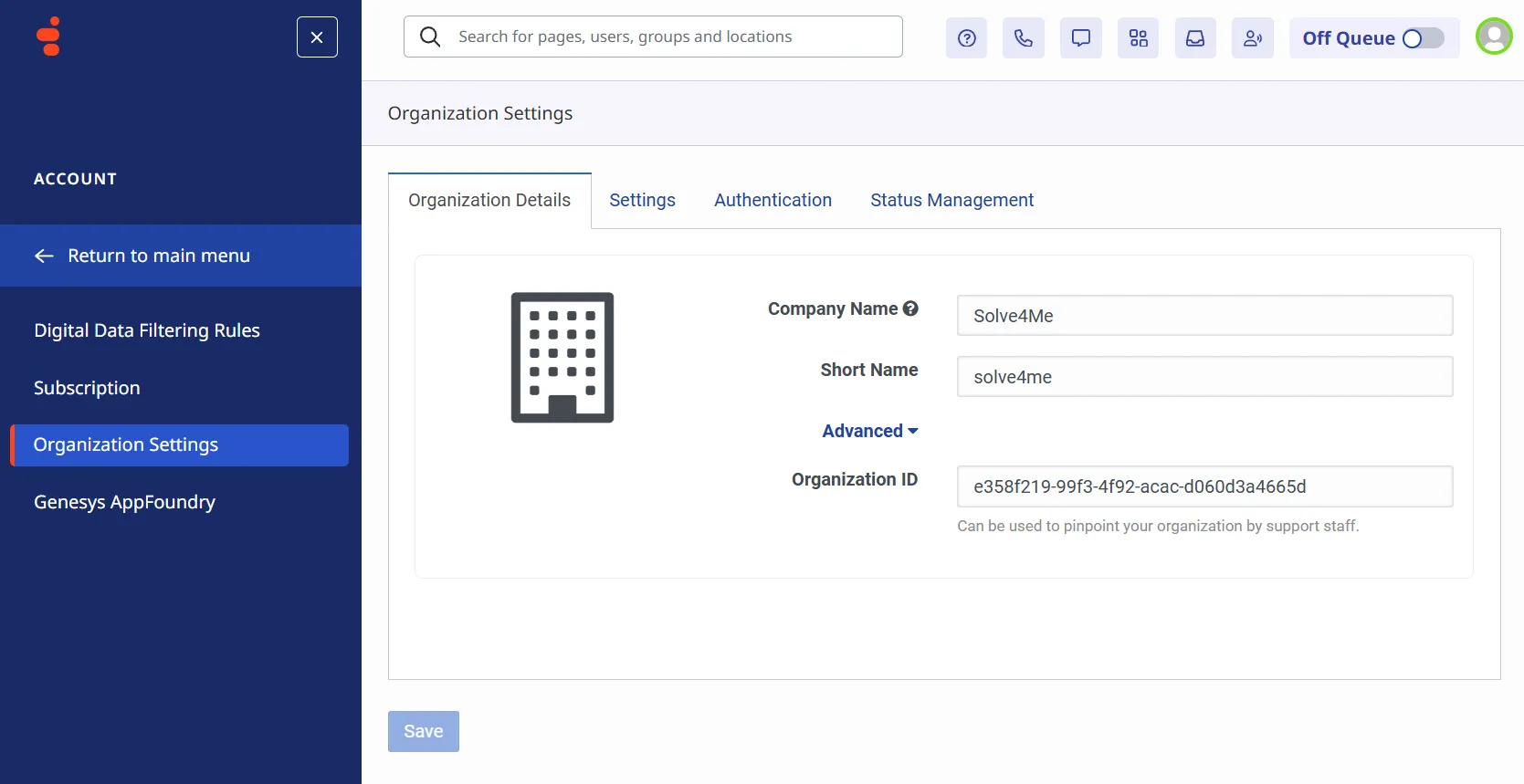
Gather your organization’s Short Name and Organization ID under Organization Settings.
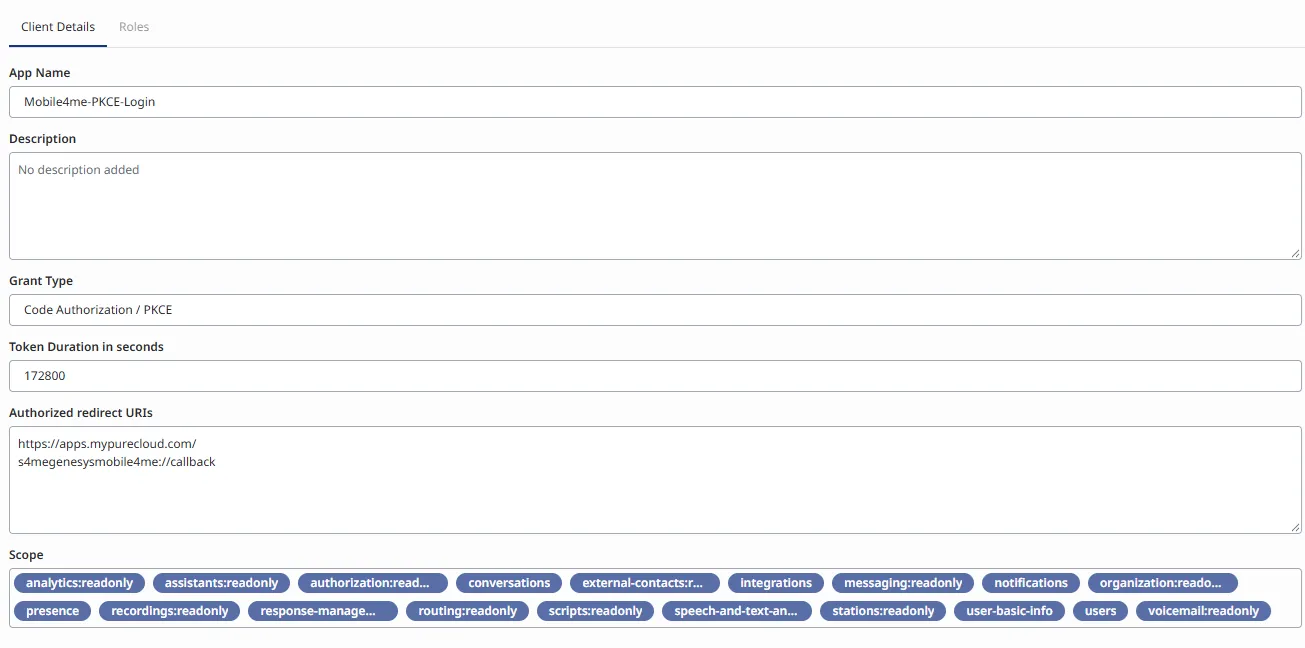
Create an OAuth Client with the following configuration:
Grant Type:
Code Authorization / PKCE
Authorized redirect URIs:
s4megenesysmobile4me://callback
https://apps.<your Genesys Cloud region>
Scope:
The scope will vary depending on whether your organization has enabled Enforce Scopes.
analytics:readonly, assistants:readonly, authorization:readonly, conversations, external-contacts:readonly, integrations, messaging:readonly, notifications, organization:readonly, presence, recordings:readonly, response-management:readonly, routing:readonly, scripts:readonly, speech-and-text-analytics:readonly, stations:readonly, user-basic-info, users, voicemail:readonlyanalytics, conversations, geolocation, notifications, organization:readonly, presence, routing:readonly, stations, users:readonlyPreview:
First, you need to create a Role with specific permissions for the server:
Analytics > Agent Conversation Detail > ViewAnalytics > User Observation > ViewPresence > User Presence > Edit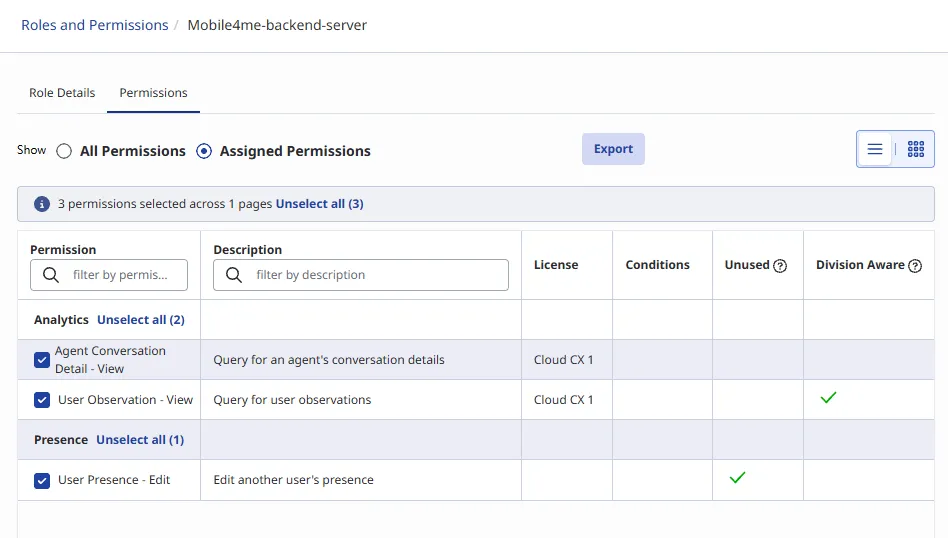
Create a new OAuth Client using the role you just created:
| Setting | Value |
|---|---|
| Grant Type | Client Credentials |
| Role | The role created in Step 2 |
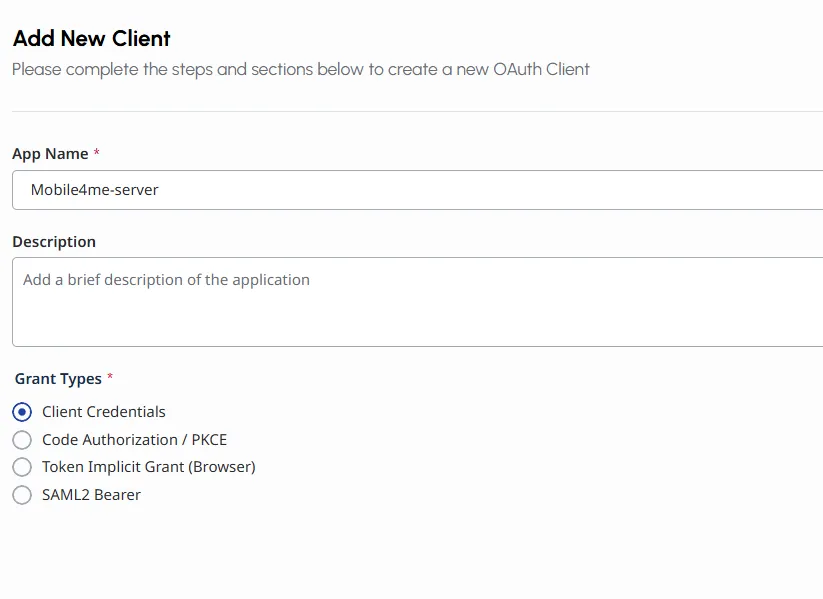
Assign the role to the OAuth client for the appropriate division on the Roles tab.

Send the Client ID and Client Secret of this Server OAuth client to us via email at: devops@solve4me.com.br
List of roles that we recommend assigning to the user within the same division.
This is a recommendation to ensure full functionality of Mobile4ME. However, each agent may have specific feature restrictions, which should be evaluated according to the organization’s requirements.